IT Service Africa

Device Health Management Services(DHMS)

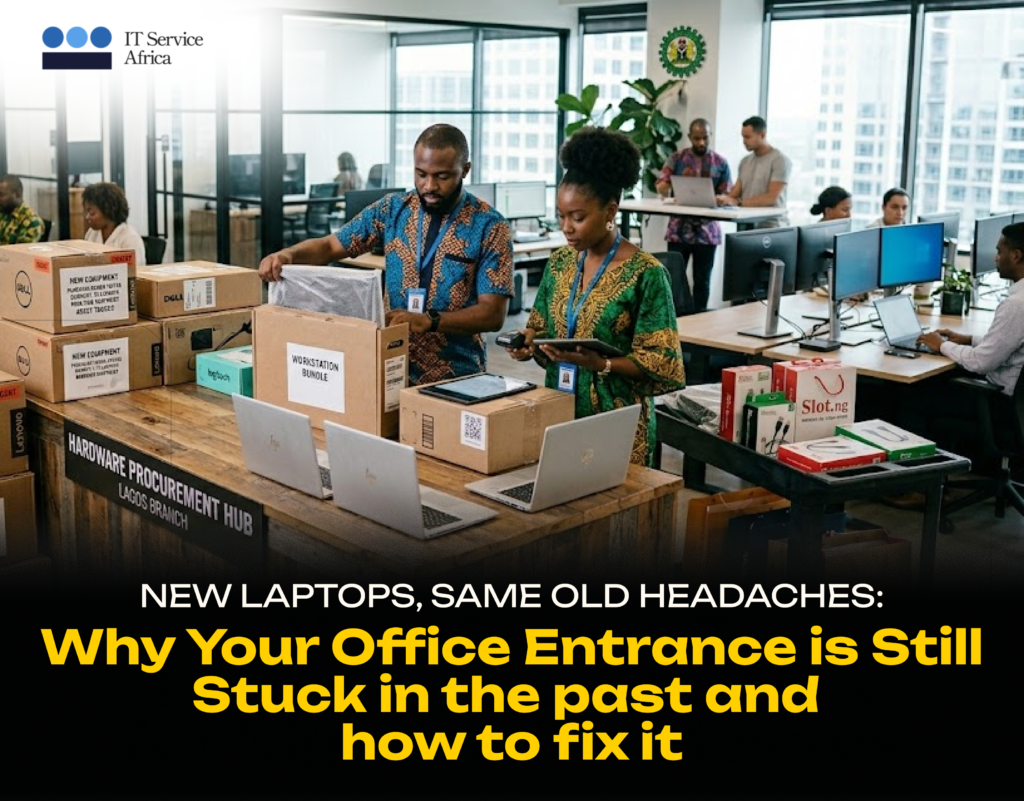
New Laptops, Same Old Headaches: Why Hardware Procurement Needs a Strategy, Not a Shopping List

Blogs, Device Health Management Services(DHMS)

It usually starts the same way. The business is growing. Five new staff are starting next month and they all need laptops. Someone — usually whoever is “good with computers” — is handed the task and a budget figure, and told to “sort it out.” What happens next is familiar to almost every Nigerian business that has gone through this. A few calls are made. A few markets are visited like Computer Village, an online vendor, maybe a friend who “knows a guy.” Five laptops are bought, from two or three different sources, at three different prices, with three different warranty terms — one of which turns out to not actually be honoured when a fault appears two months later. The new staff get their laptops. The immediate problem is solved but underneath, a slow-motion mess has begun: devices with inconsistent specifications that make IT support harder, no centralised record of what was bought, where, for how much, or under what warranty, and quietly money left on the table that a slightly more strategic approach would have kept in the business. This happens not because anyone did anything wrong. It happens because hardware procurement, in most businesses, isn’t treated as a function. It’s treated as an errand. Why “Just Go and Buy It” Costs More Than It Looks You lose negotiating power. Buying five laptops one at a time, from whoever happens to have stock, means paying close to retail price every time. Buying in coordinated batches even modest ones opens the door to volume pricing, which most individual buyers never access because they’re not buying enough at once to ask for it. Specifications drift. Without a defined standard, every purchase is a fresh decision. One person buys a laptop with 8GB of RAM because that’s what was available. The next person buys 16GB because the vendor recommended it. Two years later, your IT team is supporting a fleet of devices with no consistency, making troubleshooting, software deployment, and support significantly harder than it needs to be. Warranty terms get lost. When devices are purchased individually from different vendors, warranty documentation tends to live in someone’s email inbox — or nowhere at all. When something goes wrong eight months later, nobody can quickly establish whether it’s still under warranty, who to contact, or what the terms were. No asset trail from day one. A device that enters the business without being tagged, recorded, and assigned at the point of purchase is a device that’s already at risk of becoming an “unaccounted for” line item the next time someone does an asset count. (If that sounds familiar, it’s the same problem we covered in our recent posts about asset registers and audit season — and it starts here, at procurement.) Hidden total cost of ownership. The cheapest laptop today isn’t necessarily the cheapest laptop over three years. A device that’s underpowered for its workload, that lacks proper support, or that fails early because it wasn’t built for business use ends up costing more in lost productivity, repairs, and early replacement than a slightly more expensive, properly specified device would have. What Strategic Hardware Procurement Looks Like At IT Service Africa, hardware procurement isn’t a one-off purchasing favor — it’s a structured process designed to get your team the right equipment, at the right price, with the right support, every time. 1. Assess Needs. Before anything is sourced, we work with you to define what’s actually required — by role, by department, by use case. A graphic designer and a data entry clerk don’t need the same laptop, and pretending otherwise either overspends on one or underdelivers on the other. 2. Source. With clear specifications defined, we leverage vendor relationships with leading OEMs — Dell, HP, Lenovo, and others — to source equipment competitively. Bulk purchase coordination and RFP support mean that even moderate order volumes can access pricing that individual purchases never could. 3. Configure. Before devices reach your team, they’re imaged with your standard software setup, configured to your security policies, and — critically — tagged as assets from day one. This is the step that makes the difference between hardware that quietly disappears into “unaccounted for” status over time, and hardware that’s part of a managed, trackable inventory from the moment it arrives. (For organisations using AssetNova, this is also the point where devices are registered into the platform, so they’re trackable for their entire lifecycle.) 4. Deliver. Logistics and onsite rollout mean your team isn’t dealing with the practical headache of receiving, unboxing, and distributing equipment across one or multiple locations. 5. Support. Warranty and maintenance arrangements are documented, centralised, and tied to a single point of contact — so when something goes wrong, the question “is this still under warranty, and who do I call” has an immediate answer. The Real Value: Time Back Perhaps the most underrated benefit of structured hardware procurement is simply this: nobody on your team has to “go and sort it out” anymore. The person who used to spend two days visiting markets and comparing quotes can spend those two days doing their actual job. The new starter on Monday has a properly configured device waiting for them, not a box that arrived Friday afternoon with nothing installed. And six months from now, when someone asks “what laptops do we have, what did they cost, and are they still under warranty,” the answer is a quick lookup — not an investigation. Let’s Sort Your Next Procurement — Properly Whether you’re equipping five new starters or planning a full refresh across your organisation, ITSA’s hardware procurement service takes this off your plate — from specification through to delivery and ongoing support. The right hardware, sourced properly, the first time — so you’re not sorting it out again in six months.


The End of Unplanned Downtime: How AssetNova is Revolutionizing African Industry.

Blogs, Device Health Management Services(DHMS)

The High Cost of “Wait and See”  In Nigeria’s heavy industries from Oil & Gas to large-scale Manufacturing, the most expensive phrase in the boardroom is: “The machine is down.”  Unplanned downtime isn’t just a technical glitch; it’s a massive financial leak that disrupts supply chains, idles workforces, and tanks quarterly profits.  For years, businesses have operated on a “break-fix” model, reacting to failures only after they’ve caused damage.  However, in today’s competitive landscape, reacting is no longer enough. You need to predict. Enter AssetNova: AI Asset Intelligence  AssetNova is ITSA’s answer to the unpredictability of industrial operations. It isn’t just another monitoring tool; it is a next-generation AI Predictive Maintenance platform designed to give you a “crystal ball” for your equipment.  By integrating directly with your existing SCADA, IoT, or PLC systems, AssetNova analyzes real-time sensor data to spot the tiny anomalies that humans and traditional software often miss. The Power of 94%: Precision You Can Bank on Data is only as good as the insights it provides. AssetNova stands out by delivering a 94%+ prediction accuracy. Secure for Critical Infrastructure  We understand that for industries like Mining or Utilities, data security is non-negotiable. AssetNova is built for resilience, offering hybrid and air-gapped secure deployments.  This means your most sensitive operational data stays protected while still benefiting from the full power of our machine-learning models. The Future is Proactive At IT Service Africa, we believe that African enterprises shouldn’t just keep up with global standards, they should set them.  With AssetNova, we are helping you turn “unplanned downtime” into a relic of the past, ensuring your operations remain as resilient and efficient as the people who run them. Is your equipment trying to tell you something?  Don’t wait for the next breakdown to find out. Discover the Power of AssetNova and take control of your operational future today.

From Procurement to Performance: How the Right Devices Improve Productivity

Blogs, Device Health Management Services(DHMS), Managed Services, Repair tips, Tech Solution, Technology

It usually starts off small… A laptop that takes too long to boot,a battery that never quite lasts the workday, and,a system update that breaks an important application. No one files a complaint. People just work around it. Over time, these small workarounds add up, resulting in slower tasks, missed focus, and unnecessary frustration. Productivity does not drop suddenly; it quietly leaks away. Most of the time, the root cause is not the people or the process, but the tools they are using. When devices get in the way, even simple tasks feel harder than they should. Meetings start late. Files take a longer time to load. Support requests have become routine. It is not dramatic, but it is costly. Good device procurement can change this. It begins with an understanding of how people work. Different roles have different needs, and choosing devices based on real usage, not just price, allows work to flow naturally. The right device in the right role removes friction instead of creating it. Consistency is also important. Standardized devices make setup faster, support easier, and security stronger. Employees spend less time figuring out why something works on one system and not another, and more time focused on delivering results. When devices work reliably, people stop thinking about them. They focus on their tasks, goals, and customers. This quiet reliability is what turns hardware from a recurring issue into a genuine productivity driver. At IT Service Africa, device procurement is approached with this mindset, helping businesses equip their teams with tools that support performance, security, and long-term value. Are you ready to turn your everyday devices into productivity drivers?Contact IT Service Africa to discuss procurement solutions designed for performance.

Hidden Costs of Poor Device Management You Should Avoid in 2025

Device Health Management Services(DHMS), Technology

As we enter 2025, technology continues to be the backbone of professional and personal life. However, poorly managed devices—whether in a corporate IT setup or a family ecosystem—can create unexpected costs beyond dollars and cents. Here\’s what you need to watch out for: 1. Productivity Drains For Your Organization: Employees struggling with outdated, slow, or unsecured devices waste hours on what should be seamless tasks, which compounds into significant output losses. For Your Family: When personal devices are cluttered or prone to crashes, simple tasks like online learning or managing household schedules become frustrating hurdles.   2. Security Breaches For Your Organization: Poor device management is a hacker’s playground. Weak updates, unauthorized apps, and untracked devices open doors to data leaks, lawsuits, and reputational damage. For Your Family: Personal photos, financial information, and even smart home systems are at risk if devices lack proper security protocols. 3. Financial Costs For Your Organization: Neglecting preventive maintenance often results in frequent device replacements and inflated IT expenses. For Your Family: Failing to manage warranties, backups, and updates can lead to avoidable expenses like data recovery or new purchases. 4. Emotional Stress For Everyone: Whether it’s an employee struggling to meet deadlines due to tech hiccups or a parent trying to fix a frozen laptop during family movie night, the frustration is real—and unnecessary. 5. Environmental Impact For Organizations and Families alike: Improper device disposal and excessive replacements contribute to e-waste, a pressing global challenge.   Solutions for 2025 and Beyond Centralized Management: Businesses can use tools like Device Health Management Service (DHMS)  platforms, while families can leverage apps to track and optimize their devices. Regular Maintenance: Schedule updates, backups, and health checks. Educate Users: Train employees and teach family members about best practices for device use and security. Sustainability Mindset: Donate, recycle, or repurpose old devices responsibly.   Embrace smarter device management to save time, money, and peace of mind, ensuring your 2025 is smooth and secure, whether you\’re running a company, a household, or just your own space.

10 Effective Fixes for a Sluggish Laptop: Tips to speed up your Laptop

Device Health Management Services(DHMS), Repair tips, Technology

Written by: Justina Nwokedi and Edited by: Joshua Babatope   Is your laptop running slower than usual? Using a laptop moving at a snail’s pace can be frustrating as it affects your work productivity – it can take you hours to get done with what can be done in 30 minutes. If your computer is experiencing a slow, here are some top fixes to help you get your laptop back up to speed.   10 Simple Ways To Fix a Sluggish Laptop   Optimize Your Web Browser: While surfing the net you notice that most times your laptop slows down. If this happens consistently, you have to consider optimizing your web browser. More so, regularly clearing cache, cookies and browser history can help resolve the issue of your laptop slowing down while browsing the internet. At the same time, always disable unnecessary plugins and browser extensions consuming system resources. Click here for more device optimization tips.   Update Your Operating System and Software: We are always reluctant to update our operating system and software because we feel it takes time. Because of this, we quickly look for the  \”remind me later\” option, and it takes us days, weeks, and even months before we update our system software. Here’s the risk – Outdated operating systems and software can cause performance issues. Verify that the applications and operating systems on your laptop are up to date. Install updates as soon as they\’re released and make sure to check for them often. Read more on how to set up your operating system.   Increase Random Access Memory (RAM): Your laptop may slow down if it has insufficient RAM, especially if you\’re using many apps at once. If you want to enhance multitasking and general performance, consider boosting your RAM.   Clean Up Your Hard Drive: Most of us are guilty of this act – it takes most active PC users ages to clean up their device\’s Hard drive. The performance of your laptop might be significantly affected by an overloaded hard drive. To make disc space available, remove temporary files, pointless files, and unwanted applications. You can save time by automating this process. Consider using a disc cleanup solution for automation.   Disable Startup Programs: Launching multiple programs at once is something we enjoy doing, right? But, here’s the fact: The boot time of your laptop may be slowed down if it has too many programs set to run at startup. However, to increase boot time and utmost laptop performance, disable pointless startup programs. Moreso, use the System Configuration tool or Task Manager to accomplish this.   Adjust Power Settings: Another way to fix a laptop moving at a snail’s pace is optimizing performance by adjusting the power settings on your laptop. To make sure your laptop is performing at its best, switch to a high-performance power plan.   Defragment Your Hard Drive: The files on your hard disc may become scattered over time due to frequent use; this means that the files are not kept in a continuous sequence but rather in separate locations. A Laptop\’s performance may be slowed down by this fragmentation. Your operating system\’s built-in disc defragmentation programme can help you with this problem. By rearranging fragmented data on your hard disc, this utility enhances performance by efficiently organizing it.   Upgrade Your Storage Drive: If your laptop is still using a traditional hard disc drive (HDD), think about switching to a solid-state drive (SSD). SSDs can greatly enhance overall performance, and provide faster read/write speeds.   Check for Malware and Viruses: Make sure your laptop is regularly virus- and malware-free. Using reputable antivirus software to do a thorough system check and identify and eliminate any dangerous programs that might be slowing down your device is one approach to achieve this.   Perform a System Restore: If none of the aforementioned fixes resolve the issue, you might need to do a system restore to get your laptop back to its optimal condition. Before you begin with a system restore, make sure you have a backup of your most important files.   Conclusion In conclusion, implementing these ten practical solutions can help restore your laptop to peak performance. After attempting these fixes, if your performance problems persist, it might be time to speak with an expert IT technician like IT Service Desk Africa to help you get your laptop moving at lightning speed.  

Best Device Optimization Hacks In 2024

Device Health Management Services(DHMS), Technology

Device optimization can significantly improve the performance, security, efficiency, and reliability of your devices, whether it\’s a smartphone, computer, tablet, or any other electronic gadget. Optimized devices are less likely to be compromised because they have fewer security gaps and are better able to defend against attacks. Before we go into the juicy benefits of device optimization let’s look at what it really means.   What is Device Optimization? Device optimization means to boost and improve the performance of digital devices such as laptops and smartphones, to ensure that they are reliable, efficient, and secure.   How to Optimize Your Devices In 2024, here are some device optimization hacks you need to know and do, to get the best out of your devices;  Regular Updates: Always keep your device\’s operating system and apps up to date. Updates often include bug fixes, security patches, and performance enhancements.   Uninstall Unused Apps: Remove apps that you rarely use. These apps can consume storage space, drain battery life, and sometimes even run background processes that slow down your device.   Clear Cache: Periodically clear cache files from your device. Cached data can accumulate over time and occupy unnecessary space, slowing down performance. You can usually clear the cache through settings in your device.   Disable Background Apps: Many apps continue running in the background even when you\’re not actively using them. Disable background activity for apps that you don\’t need constantly running to conserve battery and resources.   Limit Widgets and Animations: While widgets and animations can enhance user experience, they can also consume system resources. Limit the number of widgets on your home screen and reduce animation effects to improve performance.   Manage Storage: Regularly review and manage your device\’s storage. Delete unnecessary files, such as old photos, videos, and documents, and transfer large files to cloud storage or an external drive to free up space.   Optimize Battery Settings: Adjust your device\’s battery settings to optimize performance. This may include enabling battery saver mode, reducing screen brightness, disabling location services when not needed, and managing background app refresh.   Use Lightweight Apps: Whenever possible, opt for lightweight alternatives to resource-intensive apps. There are often lite versions of popular apps available that consume less memory and data.   Enable Data Saving Mode: Activate data saving mode on your device to reduce data usage and optimize performance, especially when using mobile networks. Utilize Built-in Optimization Tools: Many devices come with built-in optimization tools or battery-saving modes. Explore these features in your device\’s settings and enable them to improve performance.   Restart Your Device Regularly: Restarting your device can help clear temporary files, refresh system processes, and resolve minor software glitches that may be slowing down performance.   Install Antivirus Software: Protect your device from malware and viruses by installing reputable antivirus software or regularly updating the built-in antivirus protection on your computer. Malware can significantly degrade device performance and compromise security.   Monitor Resource Usage: Use built-in or third-party tools to monitor resource usage on your device. Identify apps or processes that are consuming excessive CPU, memory, or battery and take appropriate action.   Consider Factory Reset: If your device is still sluggish despite trying various optimization hacks, consider performing a factory reset. This will erase all data and settings, restoring your device to its original state and potentially resolving performance issues. It can be heartbreaking, but can definitely save your device’s life.   By implementing these device optimization hacks, you can enhance the performance, efficiency, and longevity of your electronic devices, your business or education can also run more seamlessly and with less glitches. IT Service Desk DHMS can help you achieve the best device optimization in 2024. Waste no more time, contact us NOW.

Safety in the Digital Age: Tips to Protect Your Family From The Internet of (Bad) Things

Device Health Management Services(DHMS)

Remember that no strategy can guarantee absolute foolproof safety, but a combination of education, communication, and technology can significantly reduce the risks your family is exposed to with online activities. Regularly reassess and adapt your approach as your child grows and gains more independence online. Subscribe to ITSA\’s Family Device Health Management Services (DHMS) to protect your family from the Internet of (Bad) things.

Maximize Budget Efficiency with DHMS: The 2024 Solution to Saving on IT Costs

Device Health Management Services(DHMS), Technology

Device Health Management Services (DHMS) isn’t just an option; it’s a vital tool that empowers businesses to save money, enhance IT efficiency, and reduce security threats. As you plan your budget for 2024 and beyond, don’t underestimate the potential of DHMS. Its impact on your budget exceeds the dollars saved—it enhances device dependability, bolsters security, and drives efficiency.

Maximize Budget Efficiency with DHMS: The 2024 Solution to Saving on IT Costs

Device Health Management Services(DHMS), Technology

Device Health Management Services (DHMS) isn’t just an option; it’s a vital tool that empowers businesses to save money, enhance IT efficiency, and reduce security threats. As you plan your budget for 2024 and beyond, don’t underestimate the potential of DHMS. Its impact on your budget exceeds the dollars saved—it enhances device dependability, bolsters security, and drives efficiency.

Choosing the Perfect Device Health Management Service Provider: Your Ultimate Guide

Device Health Management Services(DHMS), Technology

Amidst the sea of options, ITSA Device Health Management System emerges as the unrivaled champion. With a proven track record and a reputation for excellence, ITSA takes the lead in optimizing device performance while curbing operational disruptions. Through comprehensive monitoring, timely interventions, and customer-focused support, ITSA stands as the pinnacle of DHMS providers. Choose ITSA for a partnership that ensures your devices remain in peak condition, ready to amplify your productivity and success. Your devices deserve the best

Scroll to Top